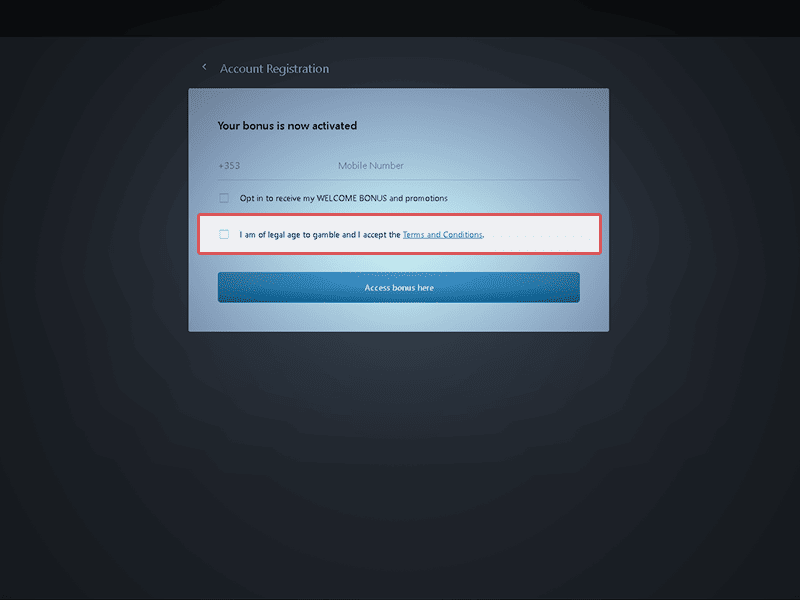
We understand that creating a new casino account can appear like a obstacle, so our objective at Casino Kingdom is to make sign-up on desktop or mobile as easy as possible https://casinokingdoms.org/login/. When you sign up, you are not just creating a gaming profile; you are setting up a secure space where your personal details, funds, and activity are protected. This walkthrough walks you through the full account journey, from getting ready and step-by-step sign-up to confirmation, login, and troubleshooting. We also detail the security steps we use and what you can do to keep your account protected from the moment you join. By following these steps, you can progress from registration to your first login with assurance.
Before You Begin: Eligibility and Preparation
When starting the registration form, we need you to know the basic eligibility requirements so you do not waste time on an account that cannot be activated. You need to be at least 18 years old, or the legal gambling age in your jurisdiction if that is higher. As online gambling laws change between regions, players in Germany should confirm that Casino Kingdom currently accepts registrations from their area and that they are permitted to play under local rules. We also require one active account per person, household, or payment method, so please do not create duplicates. Spending a moment to review these conditions now can stop rejection or delays during the verification stage.
Preparation is as crucial as the form itself, and collecting a few items in advance will simplify things. Provide a valid email address that you monitor often, because we will send an activation or confirmation message to that address. You will also require your personal details exactly as they appear on your official identification: full legal name, date of birth, residential address, and sometimes a phone number. If you plan to deposit, keep your payment method details nearby, but do not share them with anyone else. We suggest using a private and secure internet connection rather than public Wi-Fi when creating your account. This minimizes the risk of interception and ensures your registration data private from the start.
Account Verification and Know Your Customer Documents
Once your account is created, the next step in the experience is account verification, often termed Know Your Customer or KYC. We perform this step to satisfy legal obligations, deter fraud, stop underage gambling, and maintain our platform secure for every player. Verification usually entails confirming your identity, your residential address, and sometimes your payment method. You may be able to finish most of this process online by uploading documents through your account dashboard. We appreciate that sharing personal documents can be intrusive, so we handle all submitted information as confidential and use it only for verification and legal compliance purposes. The objective is to protect your account from unauthorised access and guarantee that withdrawals go to the right person.
The documents we typically request include a government-issued photo ID, such as a passport, national identity card, or driving licence, and a recent proof of address, such as a utility bill, bank statement, or official letter showing your full name and address. If you deposit with a card or e-wallet, we may also require you to confirm ownership of that payment method by providing a redacted photo or statement. Every document you submit should be clearly visible, within its validity period, and correspond to the details you entered during registration. Blurry images, expired IDs, or mismatched addresses are the most common reasons for delayed verification, so review each file before uploading it.
After you upload your documents, our verification team checks them as quickly as possible. While review times can vary depending on volume and document quality, most checks are finished within a few business days. You can usually view the status of your verification in your account dashboard, and we may reach out to you by email if we need additional information. Until verification is finished, you may still be able to deposit and game, but withdrawals are generally restricted. We suggest completing verification early, even before you make a deposit, so that your first withdrawal is not delayed. This proactive method saves time and reduces friction later in your time with Casino Kingdom.
Establishing Your Account on Desktop
If you are prepared to create an account on a desktop computer, first navigating to the official Casino Kingdom website via a trusted bookmark or by entering the address manually into your browser. Avoid using links from unsolicited emails or third-party sites, as those can lead to phishing pages that appear legitimate but steal your details. When you are on the homepage, find a clearly labelled button like “Join,” “Register,” or “Sign Up.” Pressing that button opens the secure registration form. We create this form to be simple, but it is advisable taking your time to enter accurate information. A few extra seconds spent verifying your entries can avoid account verification problems later.
The desktop registration form usually requests your email address, a strong password, your full legal name, date of birth, residential address, and mobile phone number. Some fields may be voluntary, but we recommend filling in every field you can because missing information can delay the identity check. When creating your password, choose a combination of upper and lower case letters, numbers, and symbols, and avoid using the same password you use elsewhere. This password will protect your account, so it should be simultaneously easy to remember to you and difficult for others to crack. We also ask you to verify that the details are correct before you continue, which is your moment to correct typos.
Once you submit the form, we usually dispatch a confirmation email to the address you provided. Access that email and select the verification link to enable your account. If the message does not appear within a few minutes, check your spam or junk folder before asking for a new one. The activation step demonstrates that you control the email address and provides an extra layer of protection against unauthorised sign-ups. When your account becomes active, you can sign in, explore the cashier, and decide whether to deposit. Activation does not mean you are required to deposit immediately; you can pause to examine the available responsible gambling tools and establish personal limits if you wish.

Signing In and Recovering Your Password
After your account is created and verified, logging in is simple on both desktop and mobile. Use the exact email address and password you chose during registration, and make sure you are on the official Casino Kingdom site or app. We recommend that you do not save your password in a public browser profile, and that you log out after each session if you are using a computer or device that others can access. If you wish, some devices may allow you to use biometric login, such as a fingerprint or face scan, after your first verified sign-in. This can make mobile access faster without reducing security, as long as your device itself is guarded with a strong passcode.
If you forget your password, we provide a easy recovery process. On the login screen, tap or click the “Forgot password” link, then enter the email address associated with your account. We will send a password reset link to that address. The link is time-sensitive and can only be used once, so finish the reset promptly. Choose a new password that you have not used before and that meets our security standards. If the reset email does not arrive, check your spam folder or verify that you entered the correct address. For added security, never share the reset link with anyone, and contact our support team if you believe someone else has tried to access your account.
Creating Your Account on Mobile
Establishing your Casino Kingdom account on a mobile device employs the same secure process as desktop, but with a few mobile-specific factors. Initiate by opening your mobile browser and navigating to the official website, or open the dedicated app if you have downloaded it from a trusted source such as the official app store. The registration button is usually prominent on the mobile homepage, often in the top corner or as a call-to-action banner. Because mobile screens are smaller, the form may be split across several steps rather than displayed all at once. We recommend using a stable mobile data connection or a private Wi-Fi network, and making sure your device’s operating system and browser are up to date before you begin.
The mobile form asks for the same information as the desktop version: email address, password, legal name, date of birth, address, and phone number. One benefit of mobile registration is that many phones offer autofill for personal details, which can reduce typing errors, but you should still review every field before submitting. After you fill out the mobile form, you will receive the same confirmation email as you would on desktop. Tap the verification link, and your account will become active for use across all devices. You do not need to create a separate account for mobile and desktop; one set of credentials works for both. This cross-device ease is an important part of how we designed the Casino Kingdom experience.
Security Measures and Dual-Factor Verification
We handle the security of your Casino Kingdom account diligently, and various tiers of protection work behind the scenes. All data sent between your device and our servers is encrypted using industry-standard protocols, which implies your personal and financial information is unable to be easily intercepted by third parties. We also track accounts for suspicious login patterns and may request you to validate your identity if we detect activity that seems suspicious. In addition, we keep your payment details segregated from your gaming profile where possible, and we do not ask for your full password by email or phone. Understanding these safeguards assists you distinguish legitimate communication from us and evade scammers who pose as casino brands.
2FA, or 2FA, introduces an extra step to the login process and is one of the most effective ways to secure your account. When 2FA is turned on, you type your password as usual and then provide a second code, generally produced by an authenticator app or sent to your mobile phone. This implies that even if someone steals your password, they cannot sign in without also having access to your second factor. We recommend enabling 2FA if it is present for your Casino Kingdom account, and you can normally find this option in your account security settings. Opt for an authenticator app over SMS when possible, because app-based codes are not exposed to SIM-swap attacks.
Common Registration Difficulties and How to Fix Them
Even with a easy sign-up process, a few typical issues can happen, and understanding how to manage them will help you save time. One common problem is not receiving the confirmation email. In most cases, the message has been filtered into a spam or junk folder, or the email address was mistyped during registration. Look in your folders and your https://www.n-tv.de/regionales/niedersachsen-und-bremen/Bremer-Innensenator-bekaempft-Werbung-fuer-Sportwetten-article23923279.html spelling first, and then ask for a new email from the login page if needed. Another frequent issue is a document being rejected during KYC. This typically happens because the photo is blurry, the document has expired, or the address on file does not match the address on the document. Make sure to submit legible, current, and matching documents.
Some players may encounter a message that their region is not at present supported or that registration is momentarily unavailable. If this occurs, we advise checking the official Casino Kingdom website for the most recent information about supported jurisdictions, because availability can change. Do not attempt to bypass location checks using a VPN or proxy, as that can lead to account closure and may breach our terms. If you are told that an account already is present with your details, check whether you signed up in the past; creating a second account is not allowed. In that situation, use the password recovery option or reach out to our support team. For any remaining problem, our customer support team can confirm your identity and guide you through the next steps properly.